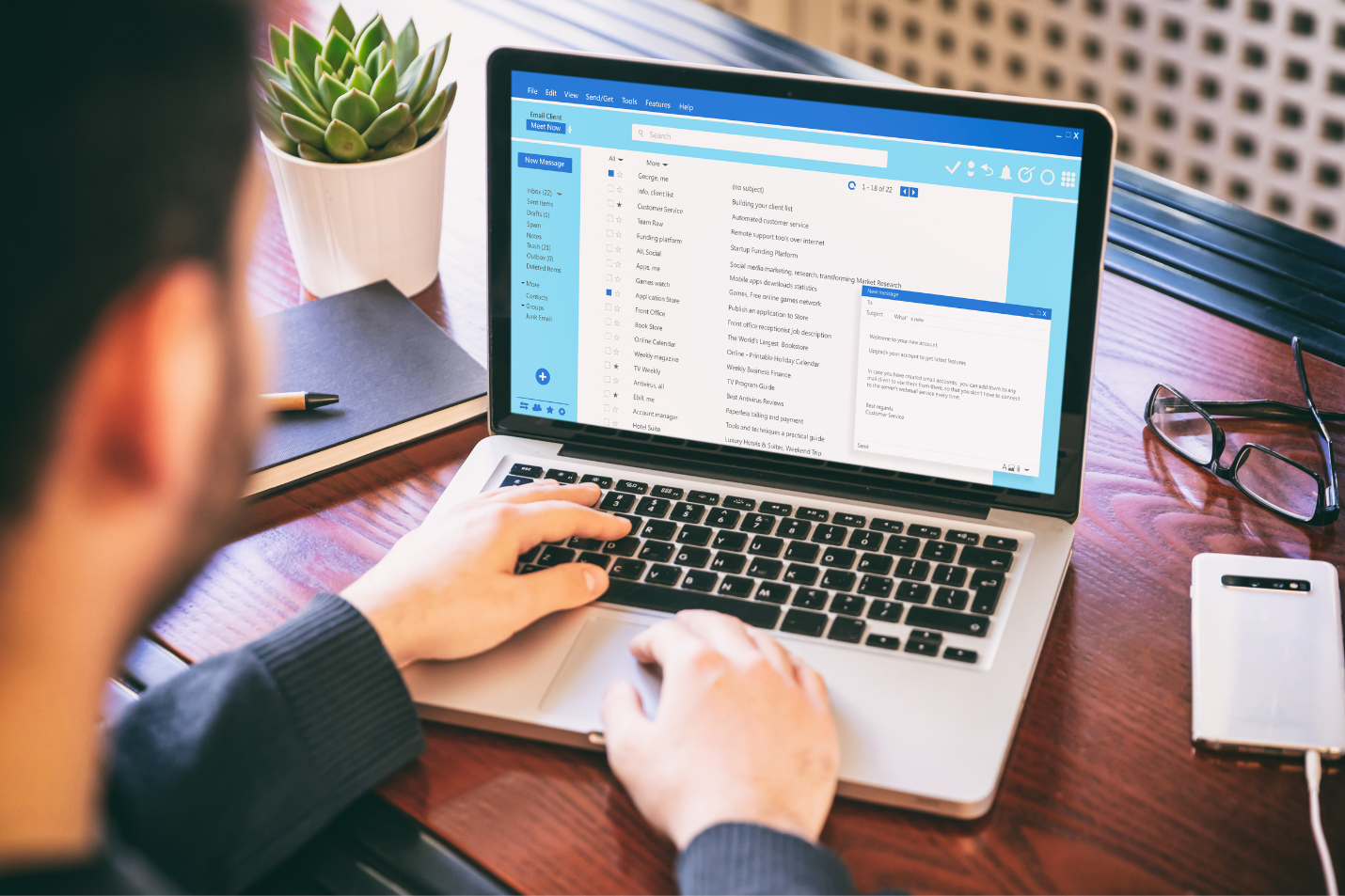

Geek Squad scams continue to be one of the most common tech support fraud schemes. By impersonating Best Buy's trusted technical support team, scammers send fake renewal emails, fraudulent invoices, text messages, and phone calls designed to steal money, personal information, and access to victims' devices.
How Do Geek Squad Scams Work?
The Geek Squad is Best Buy's legitimate technology support service, offering everything from device setup and troubleshooting to repairs and technical assistance. Because millions of consumers trust the brand, scammers frequently impersonate Geek Squad to make their scams appear credible.
These fraud schemes typically begin with an unexpected email, text message, or phone call claiming to be from Geek Squad. The message often warns of a pending subscription renewal, an unauthorized charge, a virus infection, or another urgent issue that requires immediate action.
The goal is simple: create panic, gain your trust, and convince you to hand over money, personal information, or access to your devices.
Step 1: Scammers Make Initial Contact
Most Geek Squad scams start with an unsolicited message.
You may receive:
- A fake invoice for a Geek Squad subscription renewal
- A receipt for a service you never purchased
- A text message warning about account issues
- A phone call claiming your computer has been compromised
These messages are designed to catch you off guard and provoke an immediate reaction.
Since many people have shopped at Best Buy or heard of Geek Squad, the scam can seem believable—even if you've never actually used their services.
Step 2: They Create Urgency and Build Trust
Once they've captured your attention, scammers attempt to create a sense of urgency.
Common claims include:
- Your subscription is about to renew and you'll be charged hundreds of dollars.
- Your computer has been infected with malware.
- Your account has been compromised.
- You've received an accidental refund that must be returned immediately.
- Unauthorized purchases have been made in your name.
By using a trusted brand and creating a time-sensitive problem, scammers pressure victims into acting before they have time to verify whether the message is legitimate.
Step 3: They Exploit Fear and Confusion
After establishing trust, the scammer's real objective becomes clear.
Depending on the scam, they may try to convince you to:
- Share passwords or account credentials
- Provide banking or credit card information
- Download remote access software
- Install fake antivirus or security tools
- Transfer money to "fix" the problem
- Purchase gift cards as payment
If victims install remote access software, scammers can gain control of their devices, access sensitive files, steal personal information, or even conduct financial transactions without authorization.
The End Goal: Money, Data, or Device Access
Regardless of the specific story, most Geek Squad scams are ultimately designed to achieve one or more of the following:
- Steal your money
- Gain access to your online accounts
- Collect personal information for identity theft
- Install malware on your device
- Take remote control of your computer
The Bottom Line
Legitimate companies rarely contact customers out of the blue demanding immediate action, payment, or remote access to their devices. If you receive an unexpected Geek Squad email, text message, or phone call, pause before responding.
Verify the claim independently through Best Buy's official channels, and never share personal information, payment details, passwords, or device access unless you're certain you're dealing with a legitimate representative.
When it comes to Geek Squad scams, a few moments of caution can prevent significant financial and personal losses.
How to Quickly Spot a Fake Geek Squad Email, Text, or Phone Call
While Geek Squad scams have become more sophisticated in recent years, most fraudulent messages still contain warning signs that can help you identify them before any damage is done.
Many victims report that scam emails and text messages include poor formatting, generic greetings, suspicious contact information, and requests designed to create panic. Learning to recognize these red flags can help you avoid becoming the next target.
1. Check the Sender's Email Address
Scammers often use email addresses that appear legitimate at first glance. However, a closer inspection usually reveals subtle differences, such as extra characters, misspellings, or unrelated domains.
If a message claiming to be from Geek Squad or Best Buy isn't sent from an official domain, treat it as suspicious.
Be especially cautious of email addresses that:
- Contain random letters or numbers
- Use misspelled company names
- Come from free email services
- Don't match the organization they're claiming to represent
2. Inspect the Logo and Overall Design
Many phishing emails attempt to copy Geek Squad's branding, but they often get the details wrong.
Warning signs include:
- Blurry or low-resolution logos
- Poor formatting
- Inconsistent fonts and colors
- Misaligned images or text
- Unprofessional layouts
Legitimate companies typically invest heavily in professional communications, while scammers often prioritize speed over quality.
3. Be Suspicious of Urgent Demands
Creating panic is one of the oldest tricks in the scammer's playbook.
Fraudulent Geek Squad messages often claim:
- Your subscription is about to renew
- You'll be charged immediately
- Your account has been compromised
- Your device is infected with malware
- Immediate action is required to avoid financial loss
Whenever a message pressures you to act quickly, pause and verify the claim independently before responding.
4. Look for Incorrect Product Names or Service Details
Many scam emails reference products, subscriptions, or services that don't actually exist.
If an invoice includes unfamiliar service names, vague descriptions, unusual pricing, or products you've never purchased, it's likely fraudulent.
Always compare any billing notice against your actual purchase history and account records.
5. Verify Contact Information
One of the clearest signs of a Geek Squad scam is the inclusion of a phone number that connects directly to the fraudster.
Scammers want victims to call because it's easier to manipulate people over the phone than through email.
Before calling any number provided in an email, text message, or invoice:
- Visit Best Buy's official website directly
- Locate customer support information independently
- Compare the contact details
Never rely solely on the contact information included in an unsolicited message.
6. Avoid Clicking Suspicious Links or Downloading Attachments
Many Geek Squad scams use malicious links and attachments to steal information or infect devices with malware.
Before clicking a link:
- Hover over it to preview the destination URL (on desktop)
- Long-press the link on mobile devices to inspect it
- Confirm that the destination matches the official company website
You should also avoid downloading unexpected attachments, especially files ending in:
- .zip
- .exe
- .scr
- .bat
- Other executable file types
These files may contain malware, spyware, or remote-access tools designed to compromise your device.
When in Doubt, Contact Best Buy Directly
The safest approach is simple: never trust unsolicited messages at face value.
If you receive an email, text, or phone call claiming to be from Geek Squad and something feels off, don't click links, call the provided number, or download attachments. Instead, visit Best Buy's official website and contact customer support using verified contact information.
A few minutes spent verifying a message can save you from identity theft, financial fraud, and device compromise.
Beware of These 6 Geek Squad Scams in 2026
Geek Squad scams continue to evolve, with cybercriminals using increasingly sophisticated tactics to impersonate Best Buy's trusted technical support team. From fake renewal notices and phishing emails to remote-access fraud and refund scams, these schemes are designed to steal your money, personal information, and online accounts.
While the stories may differ, the goal is usually the same: create a sense of urgency, gain your trust, and pressure you into taking action before you have time to verify what's happening.
To stay protected, it's important to understand how these scams work and recognize the warning signs before scammers can take advantage of you.
Here are 6 of the most common Geek Squad scams targeting consumers in 2026—and how to avoid them.
1. Fake Geek Squad Renewal Emails and Text Messages
The most common Geek Squad scam starts with a fake email or text message claiming that your Geek Squad subscription is about to renew—or that you've already been charged for a service plan you don't remember purchasing.
These messages often include a professional-looking invoice and warn that your credit card will be charged unless you take immediate action. To make the scam seem legitimate, fraudsters provide a customer support phone number and encourage recipients to call with questions or to cancel the renewal.
However, the phone number connects directly to the scammers.
Once you're on the call, they'll attempt to convince you to share sensitive information, provide payment details, install remote access software, or download malicious programs disguised as security tools.
These scams can be effective because they target both existing Geek Squad customers and people who have never subscribed to the service. Current customers may worry about an unexpected renewal charge, while non-customers often call simply to dispute a bill they believe is fraudulent.
How to Stay Safe
- Never call the phone number listed in an unsolicited email or text message.
- Verify any subscription or renewal charges directly through your Best Buy account.
- Review suspicious charges with your bank or credit card provider before taking any action.
- Be cautious of messages that create urgency or threaten immediate charges.
- Delete suspicious emails and report them as phishing when possible.
Quick Tip
If you receive a Geek Squad renewal notice that seems suspicious, don't panic. Instead of responding to the message, check your bank or credit card account directly and verify whether a charge actually exists. If there's no charge, the message is almost certainly a scam.
2. Fake Geek Squad Tech Support Calls
Tech support scams remain one of the most effective tactics used by cybercriminals impersonating Geek Squad. In these scams, fraudsters pretend to be technical support representatives and claim they've detected a serious problem with your computer, smartphone, or online accounts.
You may receive an unexpected phone call, email, pop-up warning, or text message stating that your device has been infected with malware, compromised by hackers, or is experiencing critical security issues that require immediate attention.
The scammer's goal is to convince you that they can fix the problem—but only if you follow their instructions.
In most cases, they'll ask you to install remote access software, such as AnyDesk, TeamViewer, or similar tools. Once connected, the scammer can gain control of your device, access personal files, steal sensitive information, install malware, or even lock you out of your own computer.
Some scammers go a step further by charging hundreds—or even thousands—of dollars for fake repairs, unnecessary software, or bogus security services.
How to Stay Safe
- Be suspicious of any unsolicited tech support call, email, or pop-up warning.
- Never grant remote access to your device unless you initiated the support request through an official channel.
- Don't trust claims that someone has detected a virus or security issue on your device remotely.
- Close suspicious pop-ups instead of calling the phone numbers displayed.
- If you're concerned about your device's security, contact Geek Squad or the manufacturer directly using verified contact information.
Quick Tip
Legitimate Geek Squad representatives won't randomly contact you to report malware infections or security issues on your device. If someone reaches out unexpectedly claiming your computer has a problem, it's almost certainly a scam.
3. Fake Virus Alert Pop-Ups
One of the oldest—and still most effective—Geek Squad scams involves alarming pop-up messages that suddenly appear while you're browsing the internet. These warnings often claim that your computer has been infected with a virus, compromised by hackers, or is at immediate risk of data loss.
To appear credible, scammers frequently use Geek Squad branding, logos, and language that mimics legitimate security alerts. These fake warnings are commonly found on suspicious websites, illegal streaming platforms, malicious advertisements, and other high-risk corners of the internet.
The pop-up typically urges you to act immediately by calling a support number or downloading a recommended security tool.
Unfortunately, both options lead directly to the scam.
If you call the number, you'll likely reach a fake "support technician" who will attempt to gain remote access to your device or convince you to pay for unnecessary services. If you download the suggested software, you may unknowingly install malware, spyware, or other malicious programs.
How to Stay Safe
- Never call phone numbers displayed in browser pop-ups.
- Avoid downloading software recommended by unexpected security warnings.
- Close the browser tab or window instead of interacting with the alert.
- Run a scan using trusted antivirus software if you're concerned about your device.
- Keep your browser and security software up to date to help block malicious advertisements and pop-ups.
Important Reminder
A website cannot scan your device and accurately determine whether it has a virus. Any webpage claiming to have detected malware, hacking activity, or security threats on your computer should be treated with extreme skepticism.
Quick Tip
If a pop-up warning uses aggressive language such as "Your computer is infected!", "Immediate action required!", or "Call support now!", it's almost certainly a scam. Close the page, ignore the message, and never download software or provide personal information in response to these alerts.
4. Fake Password Reset and Account Security Emails
Cybercriminals frequently impersonate Best Buy and Geek Squad in phishing emails that claim there's a problem with your account. These messages often warn of suspicious login activity, unauthorized purchases, or security concerns that require immediate action.
To make the alert seem legitimate, the email includes a button or link prompting you to reset your password or verify your account information.
However, clicking the link doesn't take you to Best Buy's website—it redirects you to a convincing fake login page designed to steal your credentials.
Once you enter your username and password, the information is sent directly to the scammers. In some cases, victims are also asked to "confirm" their identity by providing additional personal information, such as:
- Home address
- Phone number
- Credit card details
- Date of birth
- Government-issued ID information
- Social Security number (SSN)
With this information, fraudsters may attempt to access your accounts, make unauthorized purchases, commit identity theft, or launch additional scams using your stolen data.
How to Stay Safe
- Never click password reset links in unexpected emails or text messages.
- Access your Best Buy account by typing the official website address directly into your browser.
- Verify account alerts by logging in through official channels instead of using links provided in messages.
- Be cautious of emails that create urgency or claim your account will be locked if you don't act immediately.
- Enable two-factor authentication (2FA) whenever available for added account protection.
Warning Signs of a Phishing Email
Be especially suspicious if the message:
- Uses generic greetings such as "Dear Customer"
- Contains spelling or grammar mistakes
- Requests sensitive information via email
- Includes suspicious links or attachments
- Creates a sense of panic or urgency
Quick Tip
Legitimate companies may ask you to verify your account, but they will never ask you to provide passwords, full credit card numbers, Social Security numbers, or authentication codes through email. If you receive an unexpected password reset request, visit the company's official website directly and check your account status there.
5. Fake Order Confirmation and Purchase Alert Scams
Another common Geek Squad scam involves fraudulent order confirmations designed to trigger panic and confusion.
In this scheme, scammers send emails or text messages claiming that you've recently purchased an expensive item from Best Buy, such as a new laptop, smartphone, gaming console, television, or other high-value electronics.
Because most recipients never placed the order, their first instinct is to stop the charge as quickly as possible.
That's exactly what the scammers are counting on.
The message typically includes a link to "cancel" the order or a customer support phone number to call immediately. However, both options connect you directly to the fraudsters.
If you click the link, you may be taken to a phishing website designed to steal your login credentials, payment information, or personal data. If you call the number, the scammer may pretend to help you dispute the purchase while attempting to collect sensitive information or gain remote access to your device.
How to Stay Safe
- Don't panic if you receive an unexpected order confirmation.
- Avoid clicking links or calling phone numbers included in unsolicited messages.
- Verify any purchase directly through your Best Buy account or payment provider.
- Review your bank and credit card statements to confirm whether a charge actually exists.
- Report suspicious emails and text messages as phishing attempts.
Common Warning Signs
Be cautious if the message:
- Claims you've purchased an expensive item you don't recognize
- Creates urgency by stating the order will ship immediately
- Pressures you to call a customer support number
- Includes suspicious links or attachments
- Uses generic greetings or poor formatting
Quick Tip
If you receive a purchase confirmation for an order you didn't make, log in to your Best Buy account directly through the official website or app. Never use the links or contact information provided in the message itself. If no order appears in your account and no charge appears on your bank statement, you're likely dealing with a scam.
6. The Fake Refund and Overpayment Scam
The fake refund scam is one of the most sophisticated—and costly—Geek Squad scams targeting consumers today.
It often begins with a fake renewal notice, tech support call, or fraudulent invoice claiming you've been charged for a Geek Squad subscription or service. When you contact the scammer to dispute the charge, they offer to process a refund.
At first, it appears they're helping solve the problem.
However, the scam takes a dangerous turn when the fraudster convinces you to install remote access software on your computer. Once connected, they manipulate your screen or online banking session to create the illusion that Best Buy accidentally refunded you far more money than intended.
For example, they may claim they meant to refund $299 but accidentally sent $2,999—or even $29,999.
The scammer then acts panicked and pleads with you to return the "extra" money before they lose their job or get into trouble with their employer.
In reality, no overpayment occurred. The scammer simply altered what you see on your screen or manipulated account balances to make it appear that an accidental refund was issued.
Victims are then pressured into sending real money back through wire transfers, gift cards, cryptocurrency, or other difficult-to-reverse payment methods.
How to Stay Safe
- Never allow an unsolicited caller to remotely access your computer.
- Independently verify any refund directly with your bank or credit card provider.
- Be suspicious of anyone claiming they've accidentally sent you too much money.
- Never send money, gift cards, cryptocurrency, or bank transfers to "correct" a refund mistake.
- Disconnect remote access software immediately if you suspect a scam.
Common Warning Signs
Watch out for anyone who:
- Claims an accidental overpayment was made
- Pressures you to return money urgently
- Requests payment through gift cards or wire transfers
- Asks you to keep the situation confidential
- Wants access to your online banking account
Quick Tip
Legitimate companies don't ask customers to return accidental refunds through gift cards, cryptocurrency, or direct bank transfers. If someone claims you've received too much money, contact your bank directly and verify the transaction yourself before taking any action.
Online scams are becoming more advanced, more convincing, and harder to detect—but you don’t have to face them alone. Priil helps you stay one step ahead with AI-powered digital protection designed to safeguard your identity, finances, and online accounts from phishing attacks, fake websites, and cybercriminal activity. Take control of your online safety. Start your free 7-day trial with Priil and browse with greater confidence.
Like 0